Proximity radio
Hear nearby VCB drivers through channel-based voice that changes with distance, making traffic and convoy spacing feel part of the conversation.
VCB RADIO SYSTEM
VCB combines proximity voice, familiar radio controls, convoy planning, flexible input, and an in-game interface built specifically for American Truck Simulator.
THE RADIO IN YOUR CAB
The VCB face stays visible in-game without taking over the drive. Watch receive and transmit activity, adjust volume and channel, open nearby drivers, and power the radio from one compact overlay.
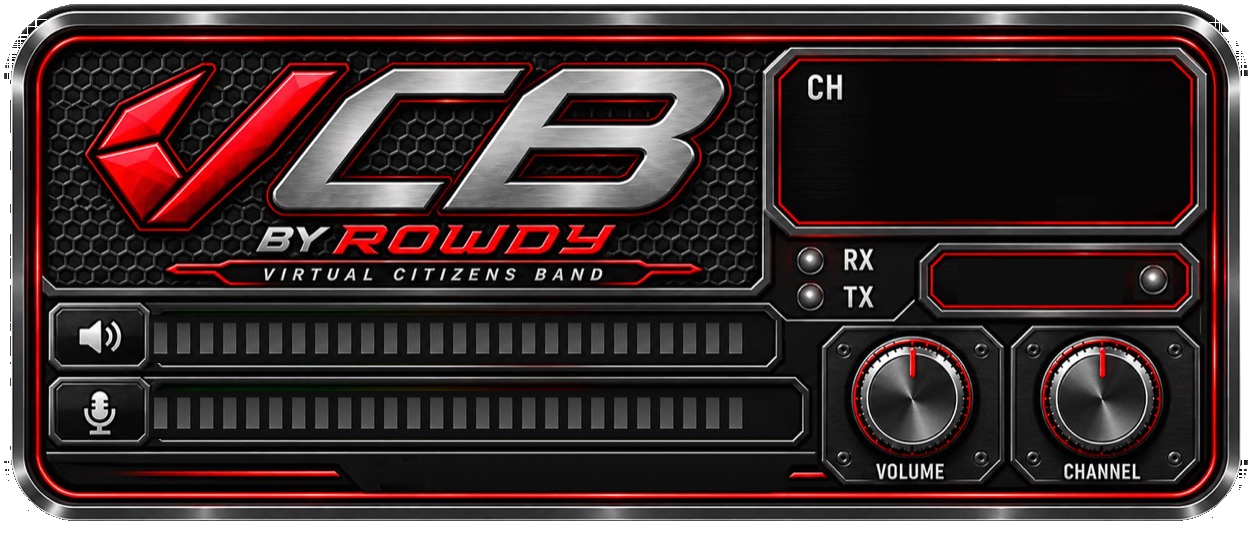
THE COMPLETE SYSTEM
Every control supports the same goal: keep drivers connected while the truck stays at the center of the experience.
Hear nearby VCB drivers through channel-based voice that changes with distance, making traffic and convoy spacing feel part of the conversation.
Open the nearby-driver list to see who is close enough to reach without leaving the in-game experience.
Share driver, route, cargo type, departure, pace, channel, and state information before the group rolls out.
Select the microphone and speaker VCB should use, tune receive and transmit levels, and test your setup from Companion.
Bind keyboard, mouse, wheel, shifter, button-box, and supported controller inputs for push to talk and radio actions.
Manage the radio, overlay placement, keybinds, audio devices, connection checks, and available faceplates in one app.
Adjust gain, roger beeps, channel behavior, overlay scale, and the settings that make VCB fit your equipment.
VCB verifies official installers before opening them, making fixes easier to receive while protecting the update path.
VCB COMPANION
Route the microphone and output that belong to VCB.
Use the keys and hardware already under your hands.
Confirm ATS telemetry, the radio, audio, and relay before departure.
READY TO ROLL?
Download the public beta, set up your radio, and join a supported ATS Convoy.